
Video to Prompt
Video to Prompt is a fast online tool that turns videos into clear, structured AI prompts, helping you extract scenes, actions, and visual details for content creation, analysis, and workflow automation.
Drag your video here or click
Supports MP4, MOV, AVI, WEBM, MPEG, WMV, and 3GPP
Only YouTube Shorts links are supported, for example youtube.com/shorts/.... Regular YouTube videos, private, members-only, age-restricted, and live videos are not supported.
How to Use Video to Prompt
Use these three simple steps to turn any video into structured AI prompts with Video to Prompt.
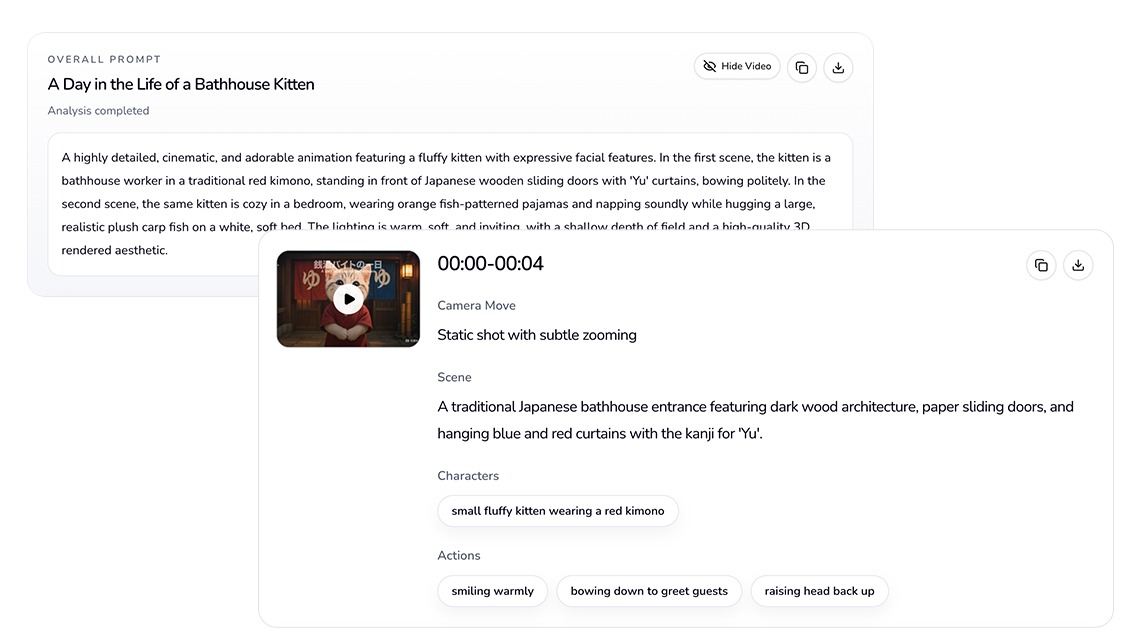
Add a video source
Upload a supported local video file, or paste a YouTube Shorts link to get started.
Run AI analysis
Video to Prompt analyzes scenes, actions, and visual context, then converts the video into clear, structured AI prompt text.
Copy and reuse the prompt
Copy the generated result and use it for AI image generation, video prompting, content research, documentation, or creative workflows.
Frequently asked questions
Find answers about supported formats, AI prompt output, processing, and how to use Video to Prompt more effectively.
Video to Prompt supports common video formats including MP4, MOV, AVI, WEBM, WMV, MPEG or MPG, FLV, and 3GPP.